Sore, tired wrists are common after long days of typing and mousing. Maybe you are wondering how to set up your desk so your wrists stay comfortable.
Whether it's typing, gaming, or just holding a phone, a few setup changes can make long sessions easier on your hands.
Comfort at the desk comes down to a few things: a neutral wrist position, regular breaks and a setup that fits you.
In this guide, we'll look at what tired wrists can feel like, what in your setup tends to add up, when to see a doctor, and the setup tips and tools that make desk time more comfortable. It is general information about setup, not medical advice.
When Your Wrists Feel Tired
Tired wrists feel different for everyone: a dull ache after a long session, stiffness when you start moving again, or a general sense that your hands need a break. Noticing this early is a good reason to look at your setup and your breaks.
If discomfort keeps coming back, or you notice swelling, tingling or numbness in your hand or fingers, see a doctor. Setup changes are no substitute for a medical check. For everyday tiredness, adjusting your routine and your setup is a good place to start.
What in Your Setup Can Make Wrists Tired
Long stretches of typing, mousing or gaming mean the same small movements repeated for hours. Poor ergonomics, such as bending your wrist up or down while you work at a computer, adds to it.
A few things in your setup tend to add up. Personal and health factors play a role too, and a doctor is the right person to ask about those:
- Wrist position: wrists bent up or down while you type or use a mouse.
- No breaks: hours of repetitive movement without a pause.
- Desk and chair height: forearms that are not level push your wrists into an awkward angle.
When to See a Doctor
If your wrists or hands hurt on a regular basis, or you notice swelling, tingling, numbness or weakness, see a doctor. They can find out what is going on and tell you what to do. A new gadget is not a replacement for that.
Everyday Habits for Comfortable Wrists
Small habits go a long way at the desk. Take short breaks, change your position now and then, and let your hands rest when they are not working.
For anything beyond everyday tiredness, talk to a doctor or physiotherapist. They can tell you what is going on and what to do about it.
Stretch Breaks for Your Wrists
Gentle movement is a good use of a break. Wrist movements like flexion (bending the wrist forward), extension (bending it backward) and side-to-side motion are easy to do at your desk. Start gently, without adding weight, and stop if anything hurts.
Another easy one is the prayer stretch. Start with your palms together in front of you, below your chin. Slowly lower your hands toward your waist while keeping your palms together, until you feel a stretch in your forearms and wrists. Hold this position for 30 seconds and repeat three to five times. If it hurts, stop and ask a doctor or physiotherapist.
Setup Tips for Comfortable Wrists
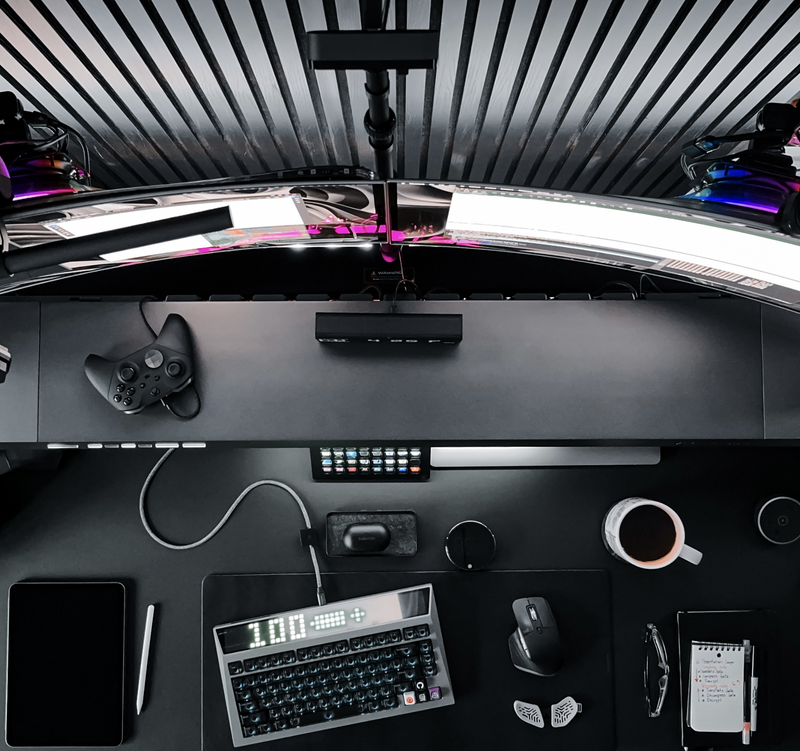
A comfortable setup starts with the basics. Ergonomic adjustments are the easiest place to begin. When working at a desk, set up your workstation so your wrists stay in a natural, neutral position. Adjust your chair, desk, and computer setup so your forearms are parallel to the ground, and your wrists aren't bending upwards or downwards when you type or use a mouse. A keyboard with a gentle slope or a mouse that fits your hand can help too. Small changes like these make long sessions feel better.
Beyond the workspace, a few habits make desk days more comfortable:
- Take regular breaks during long periods of repetitive hand activity to stretch and give your wrists a rest.
- Stretch your wrists and hands during breaks.
- Change position through the day, so your hands and wrists don't stay in one pose for hours.
A Wrist Rest for a More Comfortable Setup
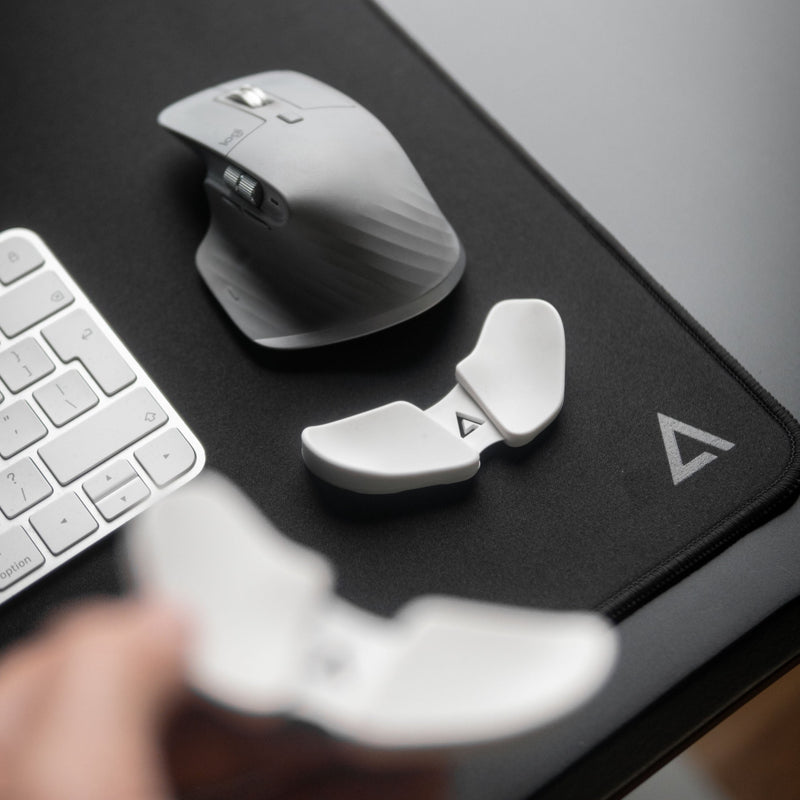
DeltaHub's Carpio 2.0 Ergonomic Wrist Rest is designed to improve your wrist position. It lifts your wrist about 1 cm, so your wrist can stay in a more natural and comfortable position, and it rests your palm instead of the underside of your wrist. It's made for anyone who spends long hours at the computer, whether for work, gaming, or browsing, and it glides with your hand on PTFE feet.
To make improving your wrist health even more accessible, DeltaHub offers an attractive bundle: buy the Carpio 2.0 Keyboard Wrist Rest and get a Desk Mat for free. This offer not only provides you with the ergonomic benefits of the Carpio 2.0 but also adds an extra layer of comfort and protection to your workspace with the Minimalistic Desk Mat. The desk mat’s felt material feels soft to the touch and serves as a shield from potential gear scratches or damages, ensuring your workspace is both comfortable and stylish. Visit DeltaHub to take advantage of this offer and give your wrists the care they deserve.
Frequently Asked Questions
How can I make my desk setup more comfortable for my wrists?
Keep your wrists in a neutral position, take regular breaks, stretch during them, and adjust your chair, desk and input devices so your forearms are level. A wrist rest that lifts your wrist and a keyboard with a gentle slope can help too. If your wrists hurt on a regular basis, see a doctor.
Why do my wrists feel tired after long sessions?
Long stretches of repetitive typing or mousing, wrists bent up or down, and too few breaks all add up. If it keeps happening, a doctor can tell you what is going on.