Fewer disconnects mid-export
A hanging drive pulls on its cable, and one bump can unplug it. On the laptop, it stays steady.
Your cart
Your cart is empty.
Free shipping over A$100 · 60-day returns
Best sellers
Best sellers
Shop by category
60-day returns2-year warrantySecure checkout
Move around safely
A two-part silicone and steel magnetic mount for your SSD, hub or power bank.
Black Friday −43% · Ships free
Multipacks save more per mount.
4-PACK: Buy three get one free + FREE Shipping
A two-part magnetic mount
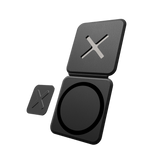
A steel laptop plate with a raised plastic X and a silicone drive plate click together, so your SSD, hub or power bank rides on the back of your laptop. The X lines the plates up, so the drive won't slide or turn.
Under 6 mm for both plates
Four thin N52 magnets sit in the drive plate, so both plates together stay under 6 mm. The laptop plate has no magnet.
Holds 1.2 kg
The four magnets together hold 1.2 kg. They're magnets, not a lock, so a hard knock can still pull the drive off.
Shielded on your drive's side
SSDs store files in flash memory, not magnetically, and on the side facing your drive a metal shield keeps the field under 150 gauss. That's far below the thousands of gauss it takes to affect a hard disk drive (HDD), but we can't guarantee HoldX for HDDs: use extra caution with them.
Warning: strong magnets on the outer side
The side of the drive plate that clicks onto your laptop has no shield. Keep your HoldX in its own pocket, away from bank cards, mechanical watches and HDDs. If you have a pacemaker or another medical implant, keep HoldX away from it and ask your doctor what distance is safe.
Set it up once
Clean both surfaces, line the plate up, then press and hold. The plate sits on 3M tape, so its metal never touches your lid, and the silicone drive plate won't scratch your drive. The adhesive is made to stay, so choose the spot with care, and leave room for the 3-in-1 Phone Mount if you use one.
Moving it takes heat and new tape
Warm the plate gently, with a hairdryer for example, then lift it with dental floss, fishing line or a plastic scraper. It leaves no marks, though some tape residue can stay behind; rub it off, or use an alcohol wipe. Sticking it on again needs new 3M tape.
Holds more than SSDs
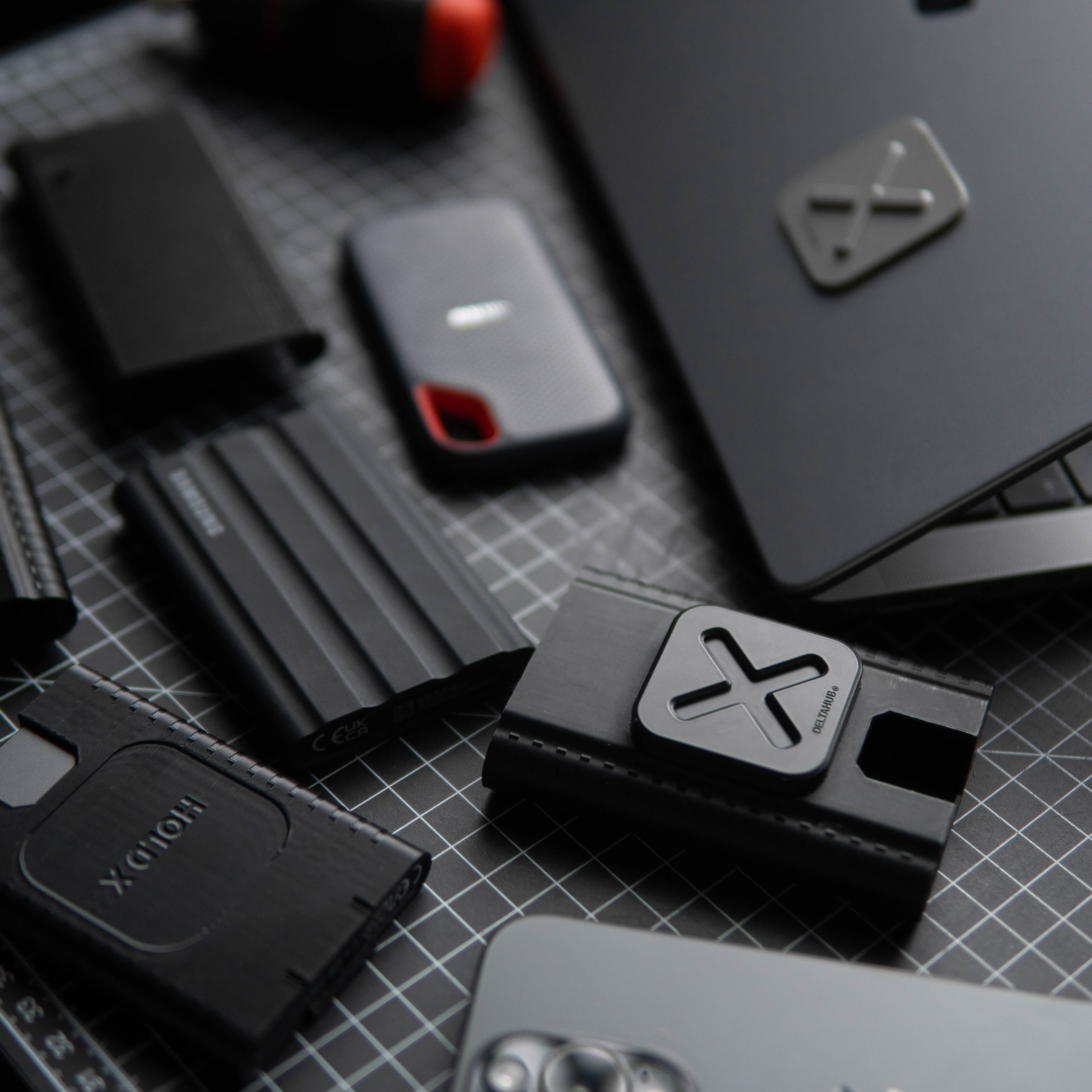
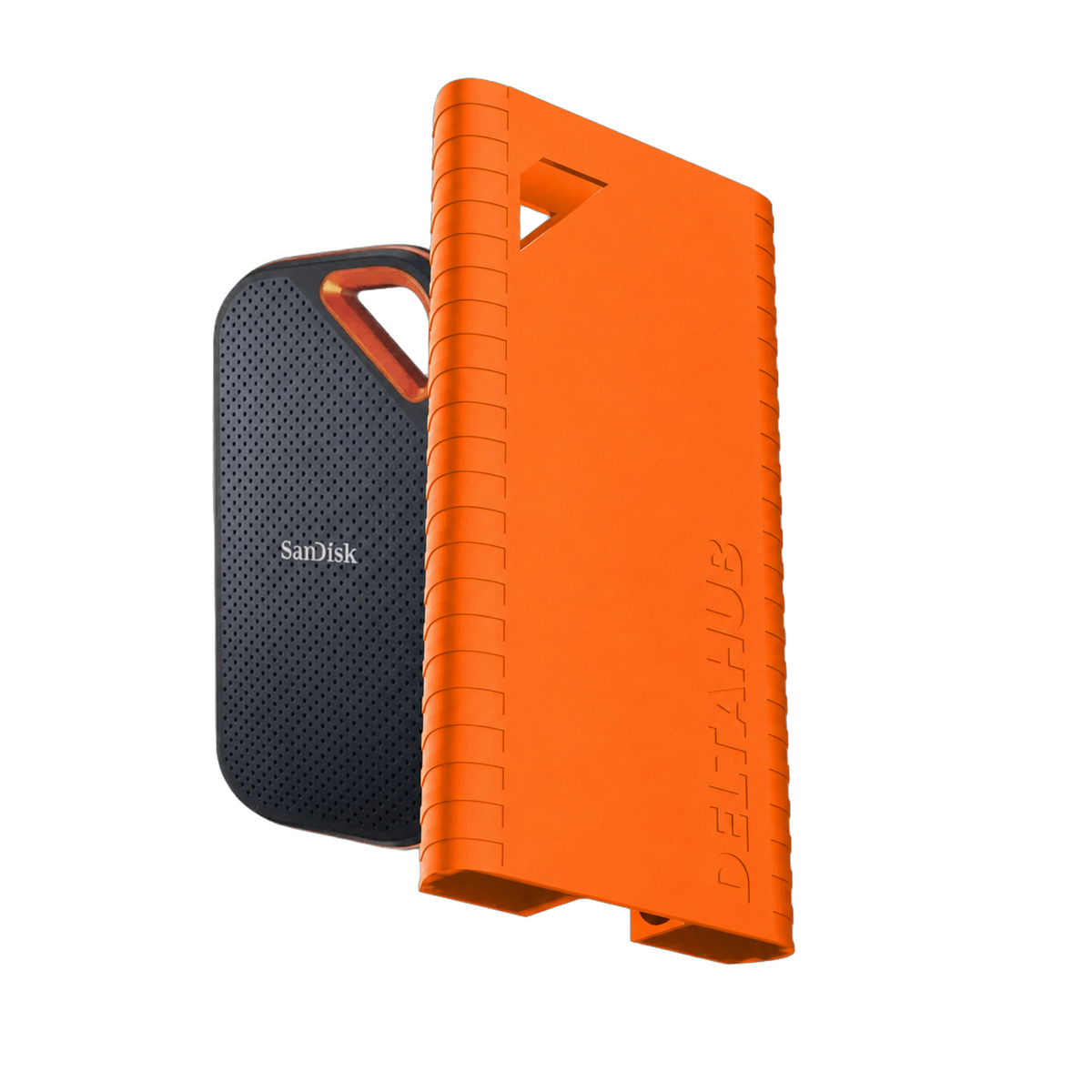
A flat base at least 5 cm across, made of hard plastic, metal, glass or wood: an SSD, a hub, a power bank, even the underside of your desk. Rubber or silicone shells need a HoldX SSD Sleeve, made for five models (see Will it fit your drive?).
Plates sold separately
Add a drive plate for each extra drive, or a laptop plate for a second laptop, the back of your monitor or under your desk. They also click onto first-version HoldX plates.
1 × HoldX laptop plate
1 × HoldX drive plate
Both come with 3M adhesive applied. Spare adhesive isn't included.
2- and 4-packs hold two or four of these sets.
Free shipping
From $65 in the US, €65 in the EU, £55 in the UK, C$100 in Canada, A$100 in Australia and US$100 everywhere else. Duties and taxes, where they apply, are shown at checkout. Shipping details
Where we ship from
Our warehouses in the US, Slovenia and Canada, whichever is best placed for your order. Orders usually leave the same or next business day.
60-day returns
Not the right fit? Tell us within 60 days of delivery, no reason needed. Return labels are free in the US, EU and UK. Elsewhere you pay return shipping, unless the item is faulty or wrong. How to return
Warranty
2-year limited warranty on defects in materials and workmanship. Your legal rights are not affected. Warranty and legal guarantee
A hanging drive pulls on its cable, and one bump can unplug it. On the laptop, it stays steady.

A raised X lines up the plates and stops the drive turning. It sits straight every time, so your setup looks clean without trying.

SSDs store files in flash memory, not magnetically. We shield it anyway, with a metal layer facing your drive.
From your setups

On the move
Carry it together with your drive in one hand, still plugged in. Open it on a train, in a hotel or on the sofa, and pick up where you left off.

Stay connected
HoldX puts your drive's weight on the laptop, not the port, but a long cable can still catch on things, pull out mid-export and strain the port. Our USB-C 90° cable is short and angled, so there's nothing to catch.
Magnets and SSDs
MagSafe phones have kept magnets next to flash memory for years, and SSDs use flash memory too. SanDisk, Lexar and MSI also sell SSDs that attach the same way.
Unlike SSDs, hard disk drives (HDDs) store data magnetically, but it takes a field of thousands of gauss to affect one.[1] Thanks to its metal shield, HoldX stays under 150 gauss on the side facing your drive. Still, we can't guarantee it for HDDs: use extra caution with them. The other side has no shield, so keep your HoldX in its own pocket, away from HDDs.
1.2 kg
rated hold
4 sec
to swap one drive for another
<150 gauss
on the side facing your drive
Registered design
A slim steel plate on your laptop and a silicone plate on your drive.

Always sits square
The plates click together on a raised X, so the drive lines up the same way every time.
Shop the laptop plateSilicone, about 5 mm
A little thicker, since it holds the magnets. The X fits into it, so both plates together are under 6 mm.
Shop the drive plateModular system
Put one plate on your laptop and one on each drive. Nothing on HoldX wears out, so every swap clicks on like the first.
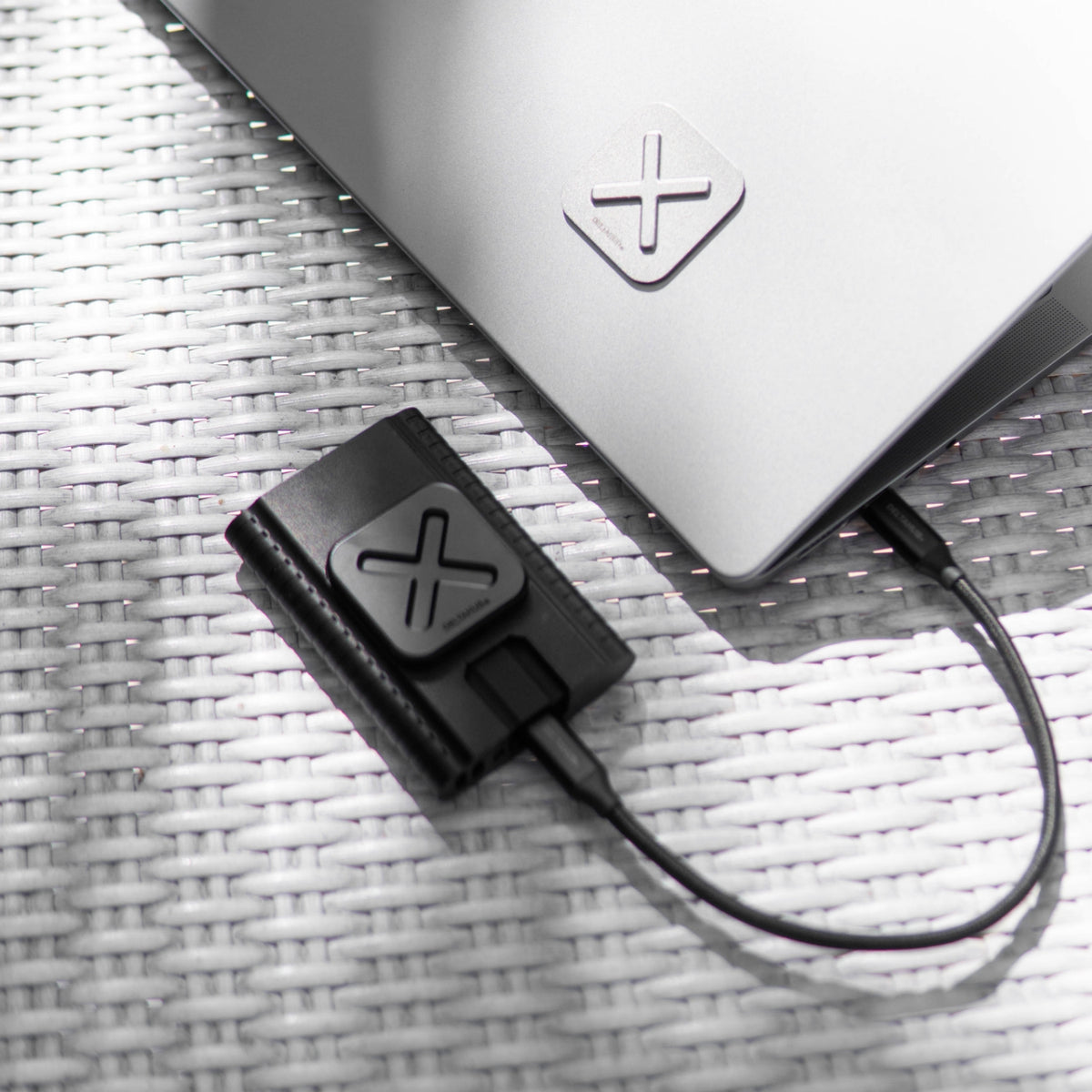

Each extra drive just needs a drive plate, sold on its own.
With an extra laptop plate, you can put your drives on a second laptop, behind your monitor or under your desk.
Drive plates also hold a hub, a power bank or a card reader, and the laptop plate takes the DeltaHub 3-in-1 Phone Mount if you place it to suit both.
Use cases
A rugged drive, your phone, a hub or a power bank... owners mount all sorts. What would you put on yours?

Swapping drives
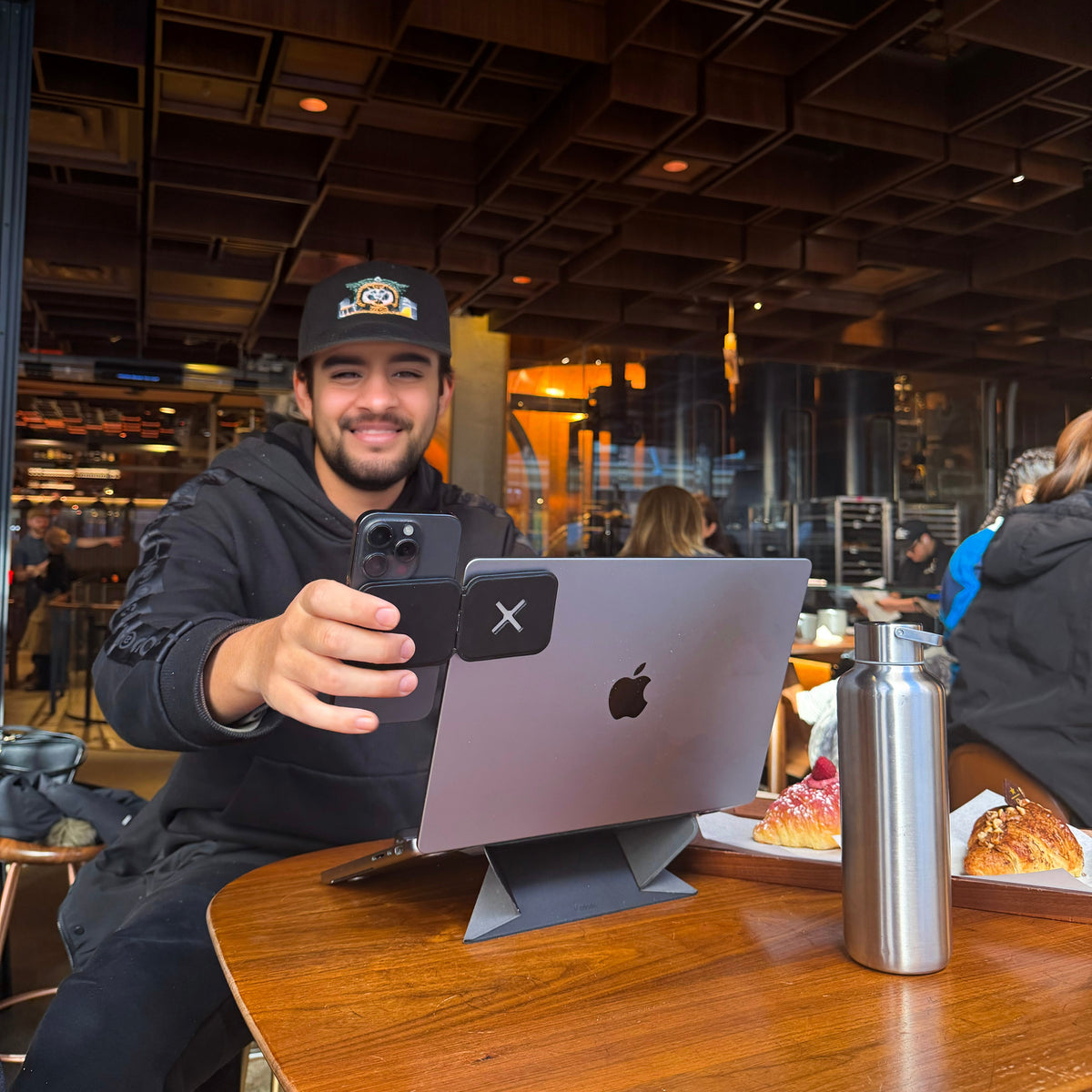
Filming a vlog

Editing mid-flight

Exporting on the go
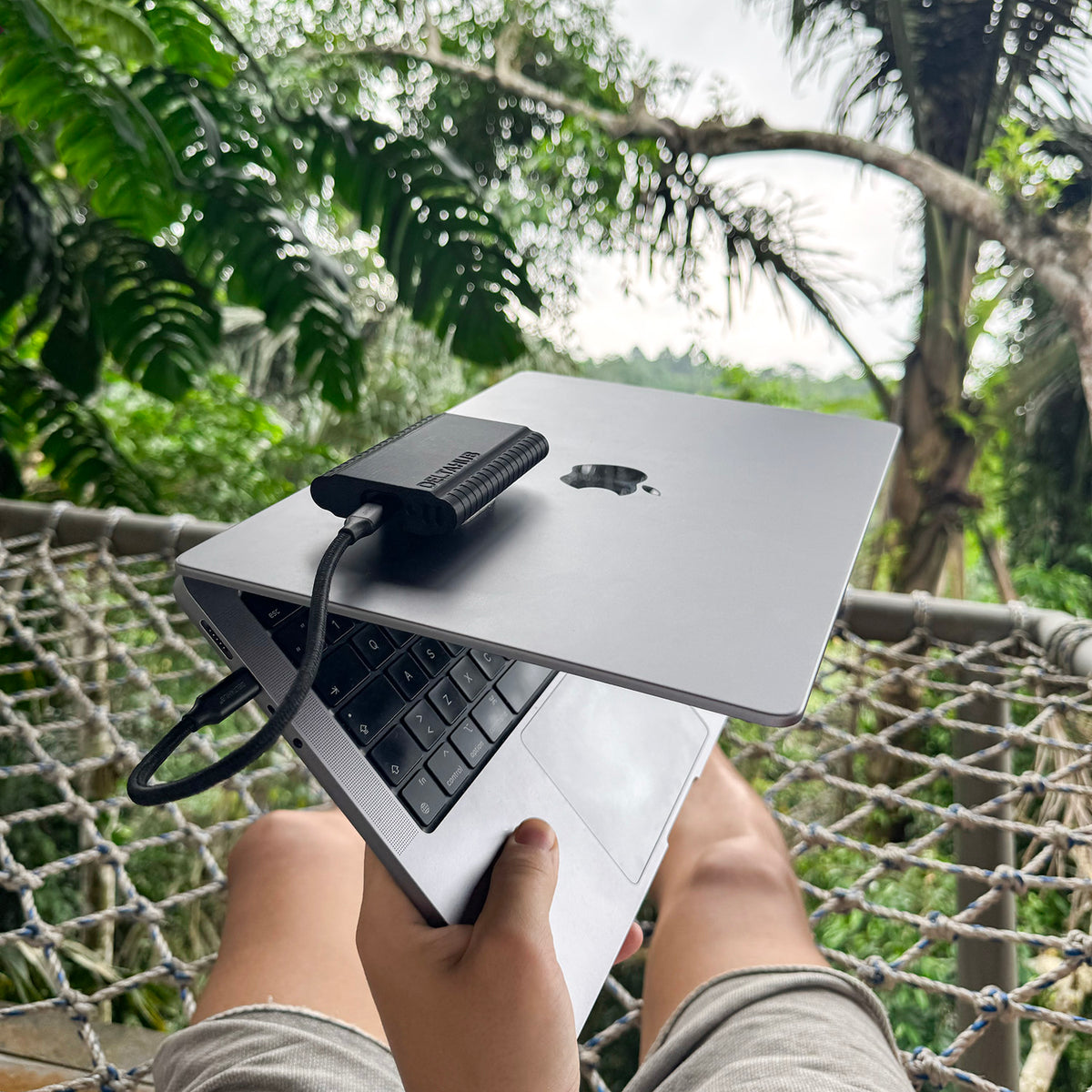
Working from a hammock

Backing up on location

Fit check
Yes, if it has a flat base at least 5 cm across.
Setup and removal
Strong 3M adhesive keeps the plates, and your drive, in place on the move. Taking a plate off takes a little heat and patience, and leaves no marks.

Clean both surfaces, line the plate up, then press and hold. The adhesive is made to stay, so choose the spot with care.
When you change laptops, warm the plate gently, with a hairdryer for example, then lift it with dental floss, fishing line or a plastic scraper.
It leaves no marks, though some tape residue can stay behind; rub it off, or use an alcohol wipe.
Sticking it on again needs new 3M tape. Spare adhesive isn't included.
Origin story
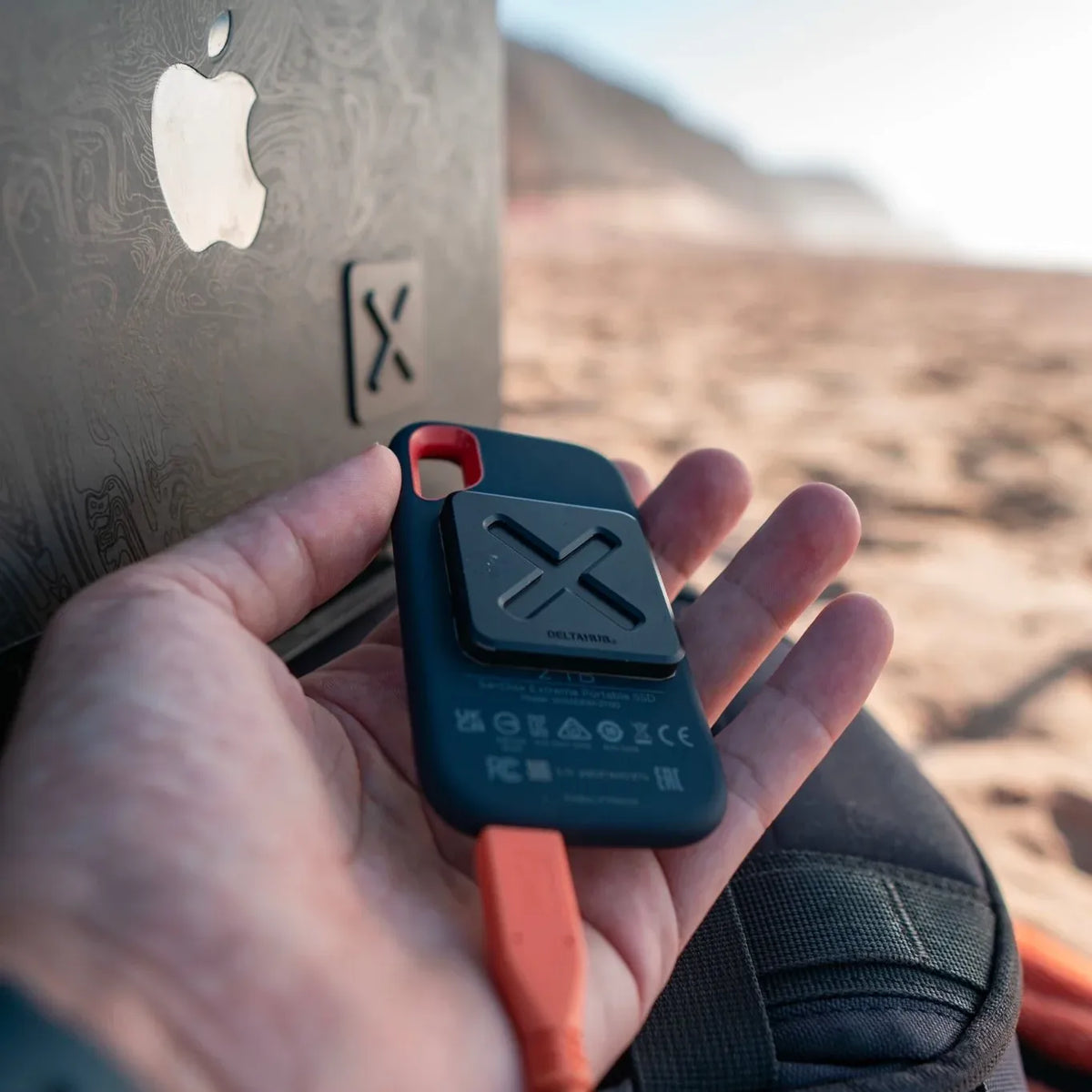
In September 2022, Amadej, our co-founder and designer, was filming the best waves of the week at a surf camp in France. Halfway through copying the footage, his SSD fell off the desk and disconnected, and the session was gone. He'd seen wedding photographers stick their drives to their laptops with Velcro, but it never felt secure, and it collected dirt. He wanted something better. That became HoldX: a fix for his own setup, and now a registered design, just like our Carpio wrist rest.
Pick the pack that fits your drives, and take them wherever you work.
Compared
| Feature | HoldX | Velcro | Stick-on pouch |
|---|---|---|---|
| Keeps the drive on the laptop | Yes | Yes | Yes |
| On and off in 2 sec | Yes | Partly | Partly |
| Lines the drive up by itself | Yes | No | No |
| Flat when the drive is off | Yes | Partly | No |
| Nothing to peel or wear out | Yes | No | No |
| Registered design | Yes | No | No |
Reviews
I am a photographer, and all of my photos are on an external Samsung SSD Drive that I connect to my laptop. I used to plug it in and eject it multiple times a day, and sometimes I’d forget and try to walk away with my laptop, and the drive would suddenly dangle down. I also had trouble with positioning the drive, when I would fly and work on photos on the flight. Now, I rarely eject the drive, and it is always securely in place. I love it!
Todd B.
I bought two of these. One for my MacBook Pro to hold a small Crucial 4tb sd drive and one for my Mac Studio screen to put my time machine sd drive out of sight. They are both good, but the usefulness on my MacBook and the firm grip and low profile when it’s not mounted is just awesome. Love that it locks in the grooves so well. Really well thought out and really good looking too. Far better than a dirty velcro set up. I could not recomend the Hold X more!
Shane C.
What a great solution to save the tiny ports of my computer. As we all know USB-C ports are small and fragile Hold X and a short cable keeps everything together and connected.
Gert K.Verified buyer
I use HoldX to attach a miniature headphones amplifier (“Mojo 2”) to the back of my 12.9 inch iPad Pro w/Magic Keyboard and iPhone.
Erich B.
Fantastic product. Solved my problem of drives from disconnecting. Seems high quality. Only complaint I have is they don't offer the base mounts separately. I would love to have these installed on several devices and be able to snap my two drives on to any of them (without paying more for both pieces).
bryanVerified buyer
This is incredibly useful, especially when you're moving around. I'm very happy with it.
Luis P.Verified buyer
I’ve got these all over my desk set up. Awesome product if you like an organized work space where everything needs to stay put. Buy a couple and try them out!
Mike H.
The HoldX has it's purpose (attaching one item to another via interlocking magnetic pieces) and it does it extremely well. They feel great, attach easily, and the magnetic attraction is just the right strength to feel like it won't come off on it's own but not present a significant hurdle to removing the item when needed. I'm happy I picked these up and will definitely be getting more as my needs arise.
Josh N.
A very elegant product, small, smart and very powerful. A must-have item for anyone who works with an external hard drive all the time
AnonymousVerified buyer
Nifty gadget to make mounting and using an external SSD a breeze. Well designed and quality construction.
Ignacio B.P.Verified buyer
I’m coming from using Velcro strips on my computer and these magnetic mounts are amazing. I wish had them sooner. I love them.
Larry D.
Great quality. Arrived sooner than expected. It provides excellent speeds to my T7 and keeps the look of my Macbook clean! Recommended.
AnonymousVerified buyer
Specs
FAQ
Not an SSD. SSDs store files in flash memory, not magnetically, and on the side facing your drive a metal shield keeps the field under 150 gauss. That's far below the thousands of gauss it takes to affect a hard disk drive (HDD),[1] but we can't guarantee HoldX for HDDs: use extra caution with them.
The other side of the drive plate, the one that clicks onto your laptop, has no shield. Keep your HoldX in its own pocket, away from bank cards, mechanical watches and HDDs. If you have a pacemaker or another medical implant, keep HoldX away from it and ask your doctor what distance is safe.
Yes, if it has a flat base at least 5 cm across, made of hard plastic, metal, glass or wood. Rubber or silicone shells need a HoldX SSD Sleeve, made for the Samsung T7, T7 Shield and T9, and the SanDisk Extreme and Extreme PRO. The sleeve takes the drive plate from your set. The same goes for a hub, a power bank or anything else you mount.
Yes. The magnets are rated to hold 1.2 kg, more than 16 times the weight of a Samsung T7, and the raised X stops the drive sliding or turning. They're magnets, not a lock, so a hard knock can still pull the drive off.
No. The laptop plate sits on a layer of 3M tape, so its metal never touches your lid. And when you take it off, it leaves no marks.
Yes, with a little care. We use strong 3M tape so the plates, and your drive, stay in place on the move. To move a plate, warm it gently, with a hairdryer for example, then lift it with dental floss, fishing line or a plastic scraper. It leaves no marks, though some tape residue can stay behind; rub it off, or use an alcohol wipe. To stick it on again, you'll need new 3M double-sided tape.
No. One laptop plate works with all your drives, so each extra drive only needs a drive plate, sold on its own for $40.00. For more places, like a second laptop, behind your monitor or under your desk, add laptop plates on their own for $32.00, or get a 2- or 4-pack: they cost less per set.
Thinner plates and safer magnets, and yes, it works with your first HoldX. Both plates together are now under 6 mm, 1 mm thinner. The drive plate is silicone, with 4 thinner magnets instead of 2, so the field on the side that clicks onto your laptop is about a third weaker; together they still hold 1.2 kg. The laptop plate is steel with a plastic X, so nothing scratches. Both plates are also sold on their own, and 2.0 plates click onto first-version plates, so you can add them to the set you have.
Not on your laptop. With the drive off, the laptop plate sits flat and barely shows: it's 2 mm thick. The drive plate is about 5 mm, a little thicker, since it holds the magnets. Together they're under 6 mm, because the X fits into the drive plate.
You can. It costs less, until your drive hits the floor. HoldX clicks your drive on straight in 2 seconds, holds up to 1.2 kg, and nothing peels or wears out. And it looks like part of your laptop, not a DIY fix. Each extra drive then only needs a drive plate, for $40.00.
Yes. The Phone Mount clicks onto the same laptop plate, so one plate on your lid takes either your drive or your phone. Place it near the top of the lid, towards one side. You can get both in the [Remote Workflow Bundle: check the name; the store's bundle is The Workflow Kit].
Go further

Magnetic SSD mount


HoldX SSD Magnetic Mount + SSD Sleeve

Sleeve for HoldX mount


Formo Laptop Sleeve + HoldX 2-Pack

Black Friday 2026
Lifetime warranty on your Black Friday order.
Sign up and order with the same email by Mon 30 Nov. Everything in that order is covered for life, not just 2 years.
Covers manufacturing defects on products in orders placed with this email from 16 to 30 Nov 2026, claimed like our standard warranty. You agree to get marketing emails from DeltaHub; unsubscribe anytime. Privacy policy.